Picture this. You spend a weekend filming product videos for your Amazon storefront. A few months later, some of those products quietly go out of stock or get pulled from Amazon, and the videos attached to them stop earning. Nobody emails you. You just notice your commissions shrinking.
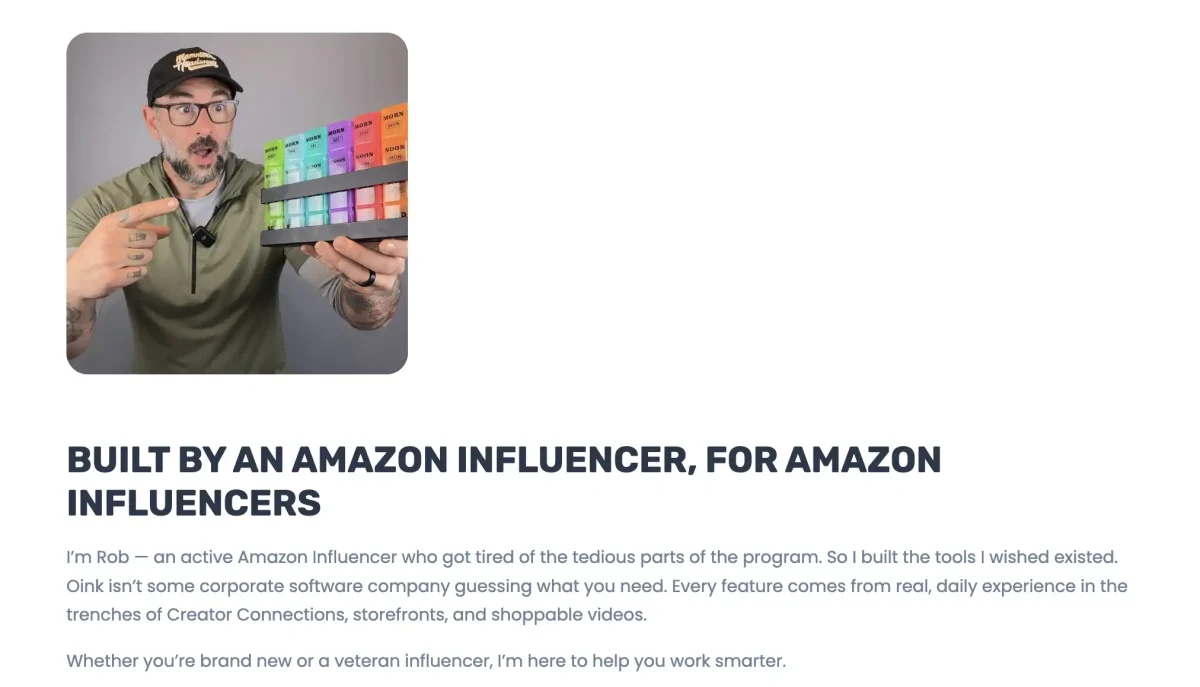
That slow leak is what pushed Rob Wagener, an active Amazon Influencer, to build his own fix. It became Oink for Influencers, a tool now used by roughly 7,000 creators. This post walks through the Oink origins story, how the tool works, and what beginners can learn from a creator who solved his own problem first.
What Is Oink, in Plain English?
Oink is a Chrome extension, which is a small add-on that runs inside the Google Chrome browser. It is built for people in the Amazon Influencer Program, where approved creators earn commissions by posting review videos and curating a storefront (a personal shop page on Amazon that lists products they recommend).
A few terms you will see in this post:
- Onsite video: a review video that shows up right on an Amazon product page. If a shopper watches and buys, you earn a commission.
- ASIN: short for Amazon Standard Identification Number, the unique ID Amazon gives every product.
- Creator Connections: an Amazon program where brands pay creators a boosted commission for content about their products.
- Dead listing: a product that is unavailable, out of stock, or removed. A video tied to it cannot lead anyone to a purchase.
Here is how Oink works in practice:
- Install it from the Chrome Web Store. There is a free version.
- Browse Amazon as usual. Oink adds its tools on top of the pages you already use.
- Run a scan of your storefront or of Creator Connections campaigns.
- Fix what it flags, like dead listings or missed campaign offers.
Why Rob Built Oink for His Own Storefront First

He Was a Creator Before He Was a Developer
Rob started as a health and fitness blogger in 2021. He found the Amazon Influencer Program almost by accident, joined in 2023, and says he was accepted on his first try. Since then he has posted over 1,000 videos to his storefront. In other words, he was living the problem every single day.
A Big Storefront Leaks Money Quietly
When you have a handful of videos, you can check them by hand. When you have a thousand, you cannot. Products go unavailable. Videos lose their tag (the link that connects a video to the product it reviews). Some listings end up over tagged. None of this sends an alert.
On his site, Rob describes himself as an influencer who got tired of the tedious parts of the program and built the tools he wished existed. That is the heart of the Oink origins story.
The Fix: Find Dead Listings and Replace Them Fast
Oink’s Storefront Health Check scans your whole storefront for unavailable products, untagged videos, and over tagged listings. You can upload a sales report to see which flagged products still bring in money. A built in replacement finder then searches Amazon for a matching product and scores how similar the titles are, so you can re-tag the video to a live listing instead of losing it.
Then the Toolkit Grew From Daily Frustrations
Once the first fix worked, Rob kept going. Missing Creator Connections campaigns was another pain point, so Oink added a cross check that compares your storefront against active campaigns, plus an automated scanner called Agent Oink. Today the extension has 40+ tools, and the same creator first approach now reaches Trybe and Pinterest.
How Oink Fits Into Making Money as an Amazon Influencer
Oink does not pay you anything by itself. It protects and grows the income streams you already have:
- Onsite commissions. Keeping videos tied to live products means they can keep earning.
- Boosted campaign rates. Rob says Creator Connections can push your effective commission to 10% or more on the same sale.
Free vs Pro: The Oink Suite Covers More Than Amazon
The free tier covers basics like the campaign cross check and untagged video check. Oink Pro, which I use, costs $29.99 per month or $249.99 per year. In October 2026 it became the Oink Suite, one subscription that now reaches beyond Amazon:
- Oink Blue for Trybe. Trybe pays creators for UGC (user generated content, meaning everyday customer style videos). Oink Blue scores Trybe brands by pay per video, flat fees, and GMV percentage (your share of the sales), then flags brands that also sell on Amazon. Free users see the top 10 brands. Pro unlocks the full list.
- Oink Pig Pin for Pinterest. It turns Amazon products or storefront idea lists into Pinterest pins with your affiliate link attached, using AI to write titles and descriptions and create artwork. It requires a separate Google Gemini subscription.
Why it matters for upgrading: if you already film Amazon videos, Pro lets you reuse that work on Trybe and Pinterest. One subscription can support three income streams instead of one.
Realistic expectations: Rob says he has earned five figures a month in the program since 2024. Treat that as a top performer example, not a typical result.
Why This Story Matters for Side Hustle Beginners
- Your problems are product ideas. Rob did not research a market. He fixed his own headache, then shared it.
- Maintenance is part of the hustle. Earning is not just creating. It is also checking that old work still pays.
- Tools from practitioners tend to fit. Daily users know which tasks waste time.
- Hustles can stack. Rob’s blog led to a storefront, which led to software, a YouTube channel, and a course.
The Honest Downsides
- Platform dependence. Amazon sets the rules and can change them anytime. This is the classic risk of building on someone else’s platform.
- Subscriptions add up. Paying for Pro before you earn anything can put you in the red.
- Browser access. Extensions read website content to work. Review the privacy policy before you install any tool.
Beginner tip: start on the free tier and upgrade only when your storefront earns more each month than the subscription costs.
How to Get Started as a Beginner
- Learn the program first. Read our guide to the Amazon Influencer side hustle so you know how approval and commissions work.
- Get approved and post your first videos. Focus on products that are already selling, not just ones you like.
- Install free tools early. Building good habits at 20 videos is easier than cleaning up at 500.
- Check for dead listings monthly. Set a calendar reminder and re-tag any video tied to an unavailable product.
- Track what earns. Note which videos bring sales so you can make more like them.
- Watch a real journey. Our Amazon Influencer Month 1 income report shows what early numbers actually look like.
A Quick Reality Check on Money
Most new Amazon Influencers earn small amounts in the first months. That is normal. Keep a simple spreadsheet of commissions and any tool costs, and remember that commissions are taxable income.
Oink Origins: How Fixing His Own Dead Listings Built a Real Tool
The Oink origins story is simple. An Amazon Influencer kept losing money to dead listings and missed campaigns, so he built something to stop it. Because he built it for his own storefront first, the tool solved real problems instead of imagined ones.
You do not need to build software to borrow the lesson. Pay attention to what frustrates you in your own side hustle. Protect the work you have already done. And when you fix a problem for yourself, ask who else might need the same fix. That is how a side hustle turns into a business.